
Continuous Monitoring
HeartBeat checks NinjaTrader, watched connections, and selected strategy state while it is running.
HeartBeat monitors NinjaTrader, your connections, and your selected strategies—automatically relaunching, reconnecting, and restoring everything you selected when issues occur. Stay connected. Stay protected. Keep trading.
Built for traders who value uptime,
control, and peace of mind.
Watch It Working
Watch the product walkthrough to see HeartBeat's monitoring and configured recovery workflow in action.
Built for serious traders
HeartBeat checks NinjaTrader, watched connections, and selected strategy state while it is running.
When configured conditions are detected, HeartBeat can relaunch NinjaTrader and recover watched connections.
See whether each selected strategy is running and restore configured strategies after a recovery.
Designed for remote Windows trading computers and VPS environments that need clear, persistent status.
How it works
Recovery follows a visible sequence, with current state and results shown in the application.
Monitor NinjaTrader, watched account connections, and selected strategies.
Confirm current state, prerequisites, cooldowns, and the recovery action you configured.
Relaunch NinjaTrader when needed and restore watched account connections.
Re-enable selected strategies, verify state, and show the recovery result.
Total visibility
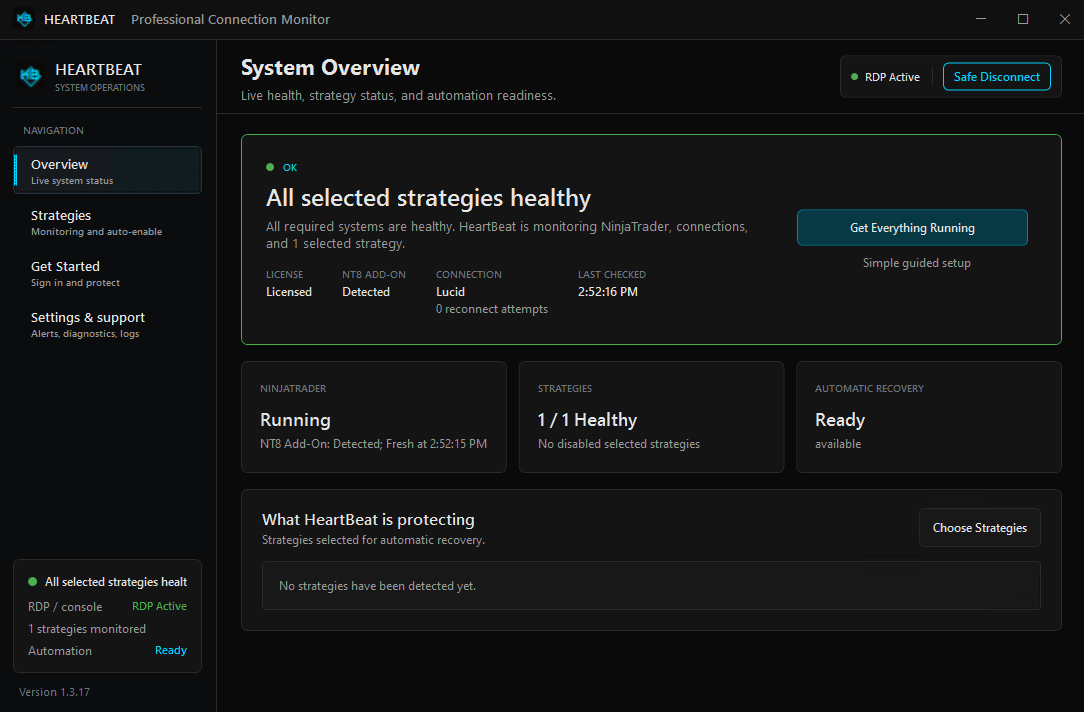
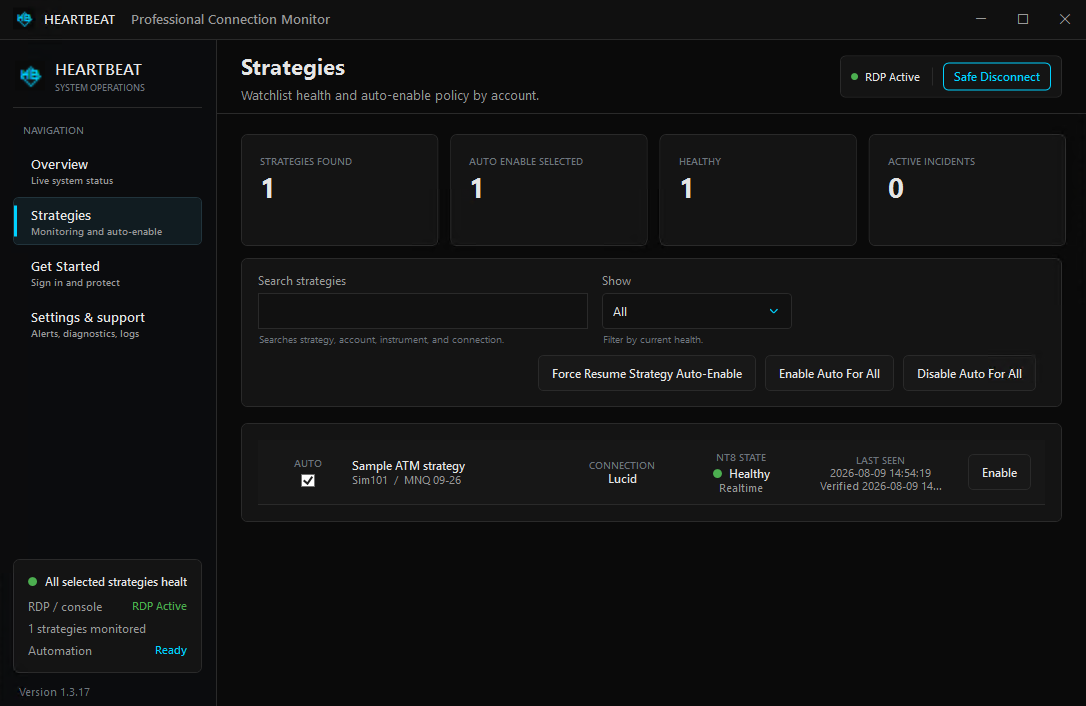
HeartBeat’s desktop dashboard gives you a clear view of the trading environment it is watching, so you can confirm status without digging through logs.
Recovery without guesswork
Choose what HeartBeat watches and how it responds. Recovery actions are local to the configured Windows environment and remain visible in the application.
Start with NinjaTrader’s own controls. Before configuring automated recovery, review the platform’s connection-loss, restart, and synchronization behavior. Read the native NinjaTrader disconnect and recovery guide
Detect a watched account connection loss and attempt the configured reconnection path.
When NinjaTrader stops unexpectedly, HeartBeat can relaunch it and continue the recovery sequence.
Re-enable only the strategies you selected for monitoring and automatic recovery.
Set a daily NinjaTrader restart schedule for your operating routine. HeartBeat does not restart Windows or the VPS.
Clear operating boundary
HeartBeat operates inside the Windows and NinjaTrader environment you configure. It supports monitoring-only use, and recovery actions remain opt-in.
Standalone HeartBeat
Both plans include the complete standalone HeartBeat product.
Secure checkout
HeartBeat base prices are shown in USD above. Whop adds its service fee, and applicable taxes may also be added. Review the total, any trial, and renewal terms displayed inside checkout before purchasing. Whop securely provides payment processing and subscription management; First Light Beacon does not receive your full card details. Open secure checkout in a new tab.
Good to know
HeartBeat supports the environment you configure. It does not replace broker, data-provider, or VPS infrastructure.
HeartBeat does not create trade signals or directly place orders. If it re-enables a selected strategy, that strategy can resume order activity according to the strategy’s own startup, synchronization, and trading settings.
HeartBeat can monitor NinjaTrader, watched connections, and selected strategies; attempt watched-account reconnection; relaunch NinjaTrader after a crash; and restore selected strategies according to your settings.
Both options are recurring subscriptions until canceled. The embedded Whop checkout shows the current amount due today, any trial, service fee, applicable tax, post-trial total, and renewal period before you agree to purchase.
No software can guarantee uninterrupted service. Broker, data-provider, operating-system, network, and VPS conditions remain outside HeartBeat’s direct control.
Keep NinjaTrader, watched connections, and selected strategies visible—with recovery ready when an interruption occurs.